Mobile document scanning with OCR and cloud sharing for Android teams
Instant Docu Scanner by TECHUMMI turns Android phones into portable document scanners for paperless workflows. It captures receipts, multi-page reports, and ID documents and converts them into high-quality editable PDFs or Word files with one-tap scanning and built-in OCR for text extraction. Specialized 1:1 passport and ID modes, secure watermarking, export controls, and cloud links to Google Drive, Dropbox, and OneDrive plus customizable output settings. Suited to students, business professionals, and remote workers needing on-the-go digitization and simple document organization.
Phone camera becomes a structured document workflow
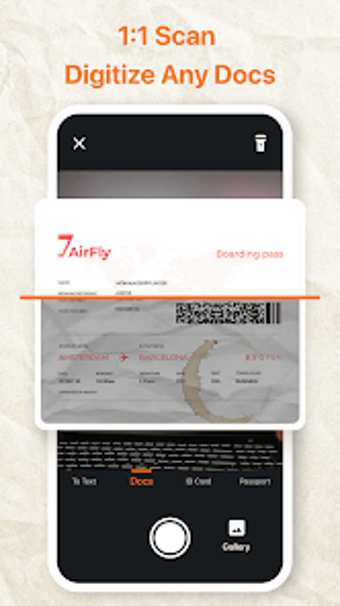
The app converts camera captures into ready-to-use business documents for mobile professionals. It handles receipts, boarding passes, multi-page reports, and identification items and offers one-tap scan that converts captures into high-quality PDF files and editable Word exports. Built-in OCR extracts editable text for copying and search. The dedicated 1:1 digitization modes keep images geometrically accurate, reducing manual cropping and perspective corrections.
Scanning workflow fits common on-the-go business tasks
Capture, review, secure, and distribute forms the typical workflow in the app. After snapping a document users can adjust framing, apply custom watermarks for protected distribution, and change file size or output settings before export. Sharing integrates with professional channels including email and messaging, letting teams or solo professionals push scanned items into shared archives without switching to a desktop program during the workflow.
Setup is light, but some basic permissions are required
The installer stays under 40 MB, which keeps setup quick on standard business hardware. The app requests camera and storage permissions to operate, and that initial consent is the primary configuration step. In-app modes and guided capture reduce onboarding friction for people familiar with digital documents. The developer issues regular updates aimed at refining scanning and export behavior, signaling ongoing adjustment rather than a static release.
Cloud connectors and developer focus support team sharing
Team sharing depends on built-in connectors to cloud and messaging platforms, which the app exposes for direct handoff. Supported endpoints include Google Drive, Dropbox, OneDrive, WhatsApp, and Slack, letting mobile workers push scans into shared archives without manual uploads. The developer's portfolio of utility apps, such as Zoom Camera and Mobile Notebook, suggests continued attention to lightweight mobile tools and iterative improvements through updates.
Good fit for mobile-first professionals who accept evolving tools
The app is a practical option for mobile-first students, consultants, and small teams that accept evolving utilities and need straightforward document workflows on Android devices. Because it is a relatively new release still building its user base, larger organizations that require long-term vendor stability and enterprise-grade integrations should evaluate before wide deployment. Solo practitioners and small teams prepared to adapt will find it usable and actively refined.